What we like
- A dedicated woofer, five tweeters and automatic room sensing
- Spatial Audio and Apple TV home-theater support
- Combines an Apple home hub with the speaker
What could be better
- A $220 US premium over the mini for the same basic hub role
- Stereo pairing requires another second-generation HomePod
- Music-service and Apple-device requirements limit its flexibility
The audio upgrade has to matter
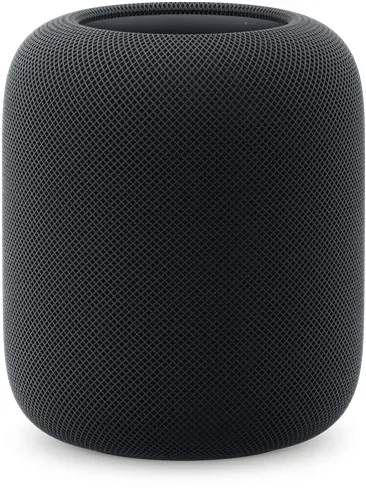
The second-generation HomePod is attractive when a room deserves a dedicated music speaker and the household already uses Apple devices. A four-inch woofer, five tweeters and automatic room sensing give it a more ambitious audio design than HomePod mini. Spatial Audio with compatible content is another concrete reason to consider the larger model.
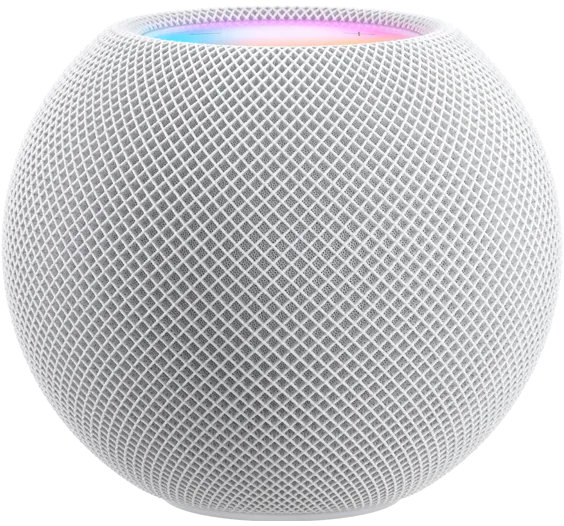
Those features explain the premium; the smart-home job does not. Apple's September 10, 2026 listings put this HomePod at $349 in the US, £349 in the UK and €399 in Germany. Regional taxes and checkout terms apply. Against the $129 US mini, that is $220 extra while retaining the same basic Apple Home hub and Thread border-router roles.
We would spend that difference for music or TV listening, not to connect another sensor. The HomePod's substantial 2.3 kg body also needs a permanent powered spot. It is a less casual addition than the small round mini, even before the price enters the decision.
An appealing TV option with a larger bill
A HomePod or matching pair can serve as the audio output for an Apple TV 4K. The full-size speaker supports Dolby Atmos and surround formats that the mini does not. That is a useful distinction for someone considering HomePods beside a television rather than only on a kitchen shelf.
The complete purchase can become expensive quickly. Two second-generation HomePods cost $698 at the checked US list price. Add the $249 128 GB Apple TV 4K if you also need that streamer, and the hardware total reaches $947 before taxes or extra cables. At that level, a conventional TV audio system deserves comparison too; the HomePod arrangement is most persuasive when its Apple integration and music use both matter.
Stereo pairing also requires two of the same HomePod model. A first-generation HomePod or a mini cannot become the other half of a second-generation stereo pair. Existing speakers may still have a role elsewhere in the home, but they do not provide a cheap shortcut to that pair.
Your music habits matter more than another specification
HomePod needs an iPhone or iPad for setup and favors listening through Siri, supported connected services and AirPlay. Not every music app connects directly. Some Siri requests use AirPlay from a nearby phone or tablet instead, making that device part of playback.
This is a meaningful compromise if different household members expect the speaker to work the same way with every service and device. Paying for the larger HomePod does not remove it. Choose the speaker around the music service you use most, rather than plan to change that routine after spending $349.
Temperature and humidity sensing are useful incidental features, but the mini has them too. They do not strengthen the case for the larger speaker.
Keep the smaller hub if it already does the job
For an Apple household that wants this audio design, HomePod combines music, Siri and smart-home infrastructure in one purchase. That is its strongest argument.
For a household happy with its existing speakers, HomePod mini is the more economical hub choice. A working Thread-enabled Apple TV may already cover the job without another speaker at all. Buy the second-generation HomePod when the listening features earn their price, rather than treating a larger enclosure as an upgrade your Matter devices need.
Content feedback
Spot a mistake or missing context?
Send a quick note so it can be checked against the source material.