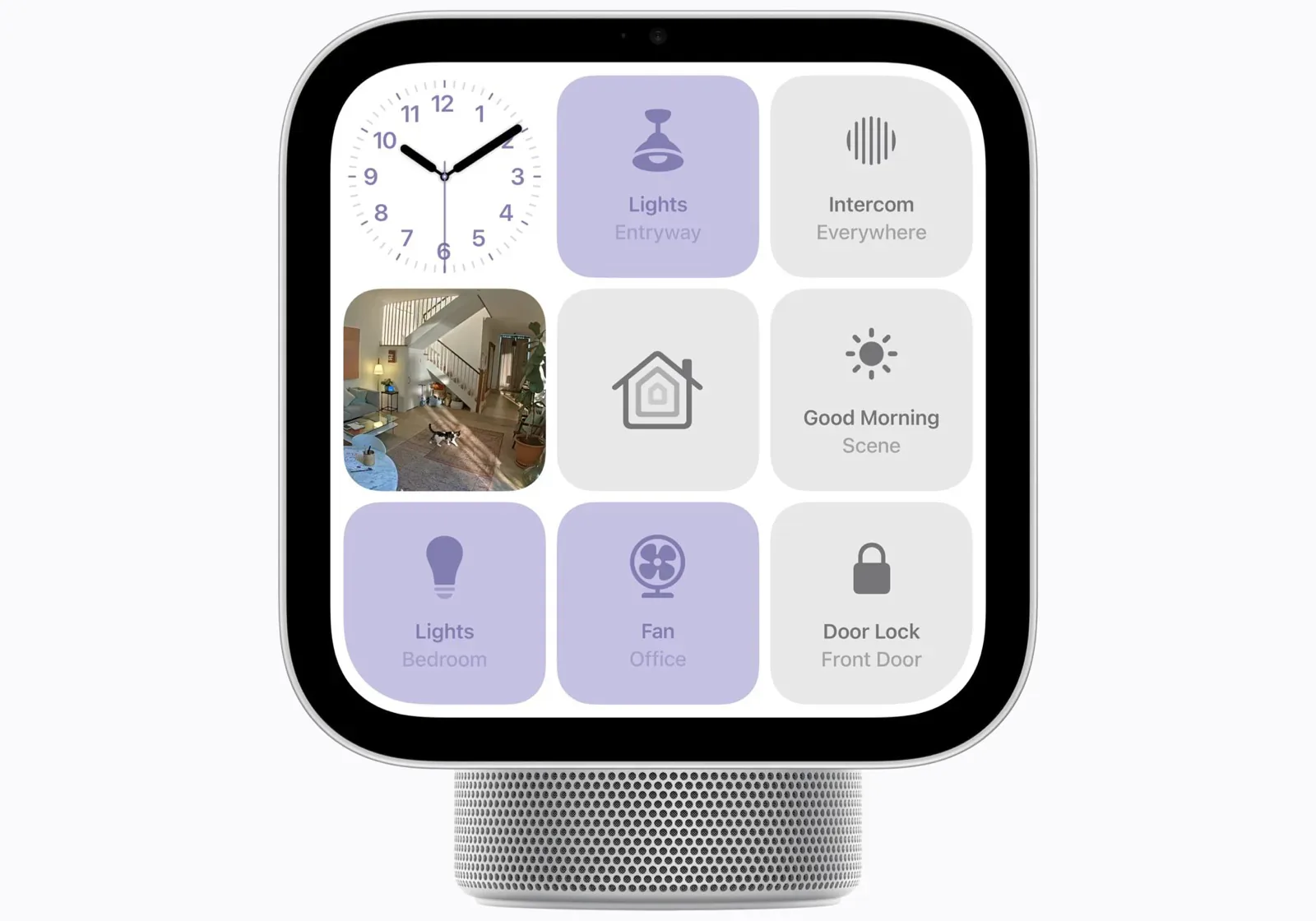
Apple released HomeView Software 27.2.1 on November 18, 2026, five days after the display reached customers. The fix that matters most for an Apple Home with Matter accessories is a hub bug: according to Apple's release notes, connecting another home hub device could unexpectedly remove HomeView from your home. The other two fixes are for Siri. A Shared Album on the Photos face could stop HomeView from downloading Siri, and Siri requests could fail when HomeView was paired with an iPhone or iPad running the iOS or iPadOS 27.3 beta. The update does not change how HomeView handles locks: Siri AI on HomeView still won't unlock a door or open a garage door, and Apple says that comes with a software update in December.
The hub bug affects homes that connect a second hub
A home hub in Apple Home can be a HomePod, HomePod mini, HomeView or Apple TV. HomePod and HomeView become hubs as soon as they are set up, and an Apple TV becomes one when it is added to a room, according to Apple's home hub article. A household buying HomeView may well have one of those already, or may have ordered a HomePod mini 2 or the new Apple TV 4K from the same October launch, so the trigger is an ordinary one: connecting another hub to the home. Apple's note does not describe what owners saw when it happened, and it does not say whether a HomeView that had already dropped out rejoins after the update.
HomeView installs software updates automatically by default. To check, open the Home app on the paired iPhone or iPad, tap the More button, then Home Settings and Software Update, or go to Settings, System and Software Update on HomeView itself, and keep it powered until the update finishes (Apple). Then look under Home Settings, Home Hubs & Bridges, where Apple Home lists the home's hubs. If HomeView is not there, Apple has not published a recovery step for this bug. Its general hub troubleshooting is to update and restart the hub and check that it is powered on and connected to the home's Wi-Fi. If HomeView still does not appear, the documented route back is the setup procedure for adding HomeView to an existing home, which only the home's owner can run.
Locks unlock on the screen now and by voice later
In Joanna Stern's review, published November 12, the day before HomeView's November 13 release, Siri AI refused to unlock her front door or open her garage door even though HomeView had recognized her, MacRumors reported. An Apple spokesperson told her: "Today users recognized by HomeView can unlock security accessories, including door locks and garage doors, directly on their HomeView screen. With a software update next month, this will extend to Siri AI, giving users more ways to manage security accessories once they've been recognized." The 27.2.1 notes say nothing about locks or garage doors, and on November 19 iDrop News reported that Siri on HomeView now replies that a software update next month will enable unlocking once HomeView recognizes the person asking. Apple has given no exact date or version number.
The statement covers door locks and garage doors in general and does not separate Matter models from HomeKit ones, so expect a Matter-over-Thread lock such as the Aqara U400 or Schlage Sense Pro to follow the same rule. It also ties unlocking to recognition, which HomeView offers to up to six household members by face and voice. Apple's guest description says unrecognized people can control smart home accessories but does not say whether that includes unlocking, so assume a guest cannot until Apple says otherwise. The limit Apple described is about unlocking: its launch announcement lists locking doors, lights, the thermostat and camera feeds among what HomeView controls by touch or voice. The reviews so far describe only unlock and garage-open requests, so voice locking rests on Apple's announcement.
That changes the case for a wall-mounted HomeView in the entryway, a placement Apple's launch announcement suggests. It still works as a shared panel for lights and cameras for everyone in the house, but do not plan on it as the way in for anyone without the Home app on their own phone. If you already own one, unlock from the HomeView screen once it recognizes you, or from your iPhone, until the December update arrives, and check Apple's HomeView software page for a release that names Siri and security accessories.
- Editor
- JC Martinez
AI tools may help draft or organize pages. Matterhome checks product claims against cited sources before publication.
Spot a mistake or missing context?
Send a quick note so it can be checked against the source material.