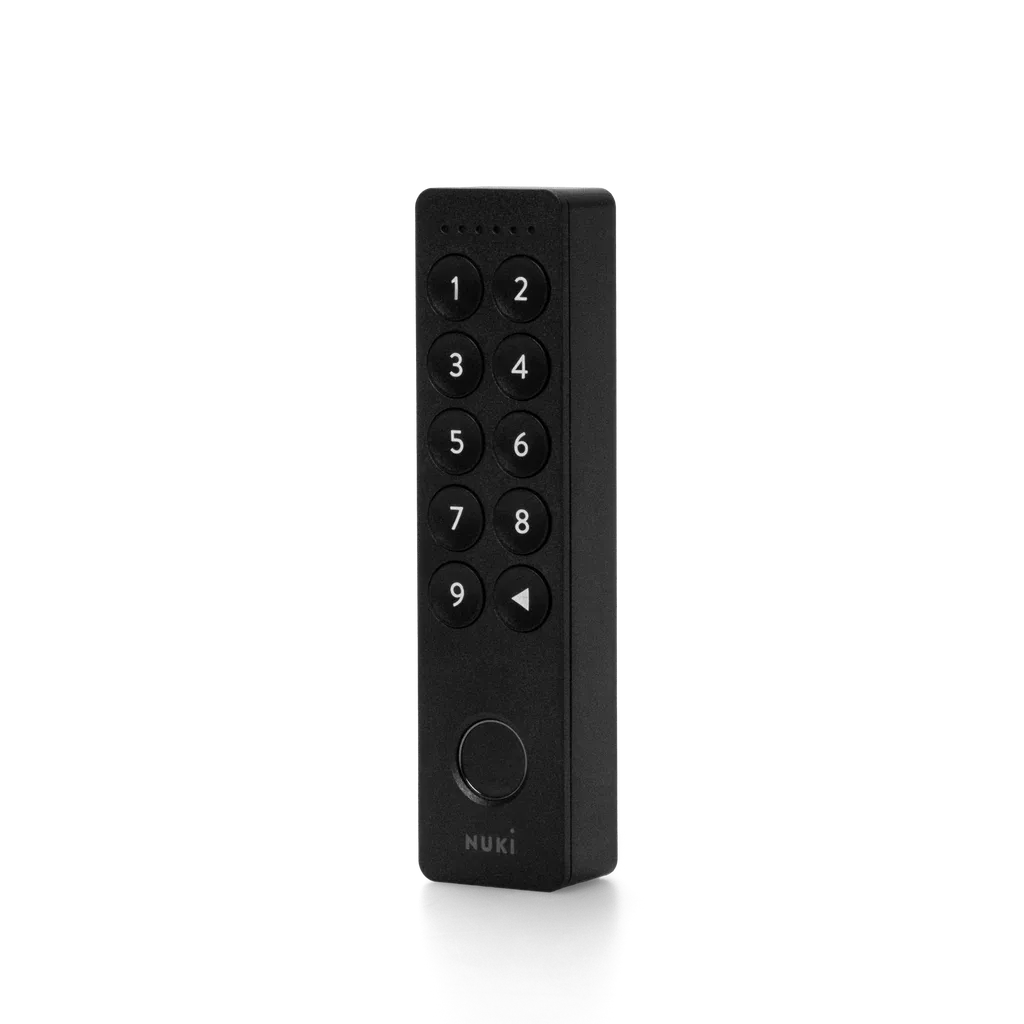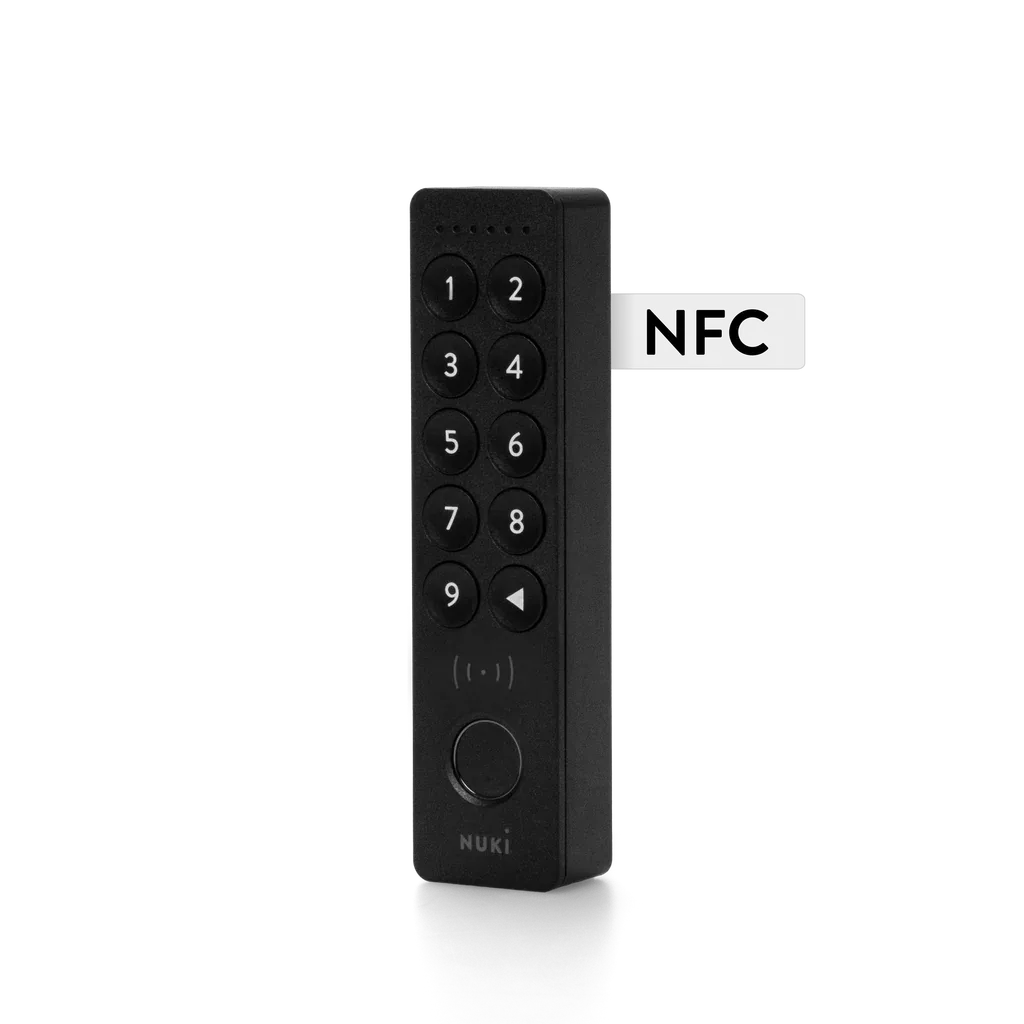
What we like
- Adds supported phone or watch wallet taps to an existing eligible Nuki
- Only €20 / £20 / $20 above the regular Keypad 2
- Keeps fingerprint and PIN entry as alternatives to a phone
- Uses replaceable AAA batteries and can reuse a Keypad 2 mounting plate
What could be better
- Older second- and third-generation Nuki locks cannot use it
- App Mode needs an unlocked phone; iPhone also needs a notification tap
- Nuki App Mode and wallet-based Smart Home Mode cannot run together
- Wallet access requires qualifying devices and a compatible ecosystem hub
A small premium for a useful extra
Keypad 2 NFC adds a phone or watch tap to Nuki's existing combination of fingerprints and PINs. For someone already wearing a compatible watch, that can be a convenient way to open the door without reaching for a key or remembering a code.
It was €179 in Nuki's euro store, £165 in the UK and $179 in the US on September 10, 2026. That is only €20, £20 or $20 above the respective regular Keypad 2. For a first keypad purchase with suitable hardware already in place, the extra option is reasonably priced.
That does not make it a necessary replacement for a working fingerprint reader. We have not tested tap recognition or fingerprint accuracy. The buying case rests on which entry method your household will actually use.
“Tap to unlock” describes two different experiences
Smart Home Mode uses Apple home key or Samsung Digital Home Key. With supported Express settings, a compatible phone can stay locked, and a supported watch can provide wallet entry too. The device still has to be brought to the reader: NFC is a close-range tap, not hands-free unlocking from a pocket.
Nuki App Mode avoids the extra smart-home hub requirement, but it is less effortless. The phone must be unlocked first. On iPhone, a notification also needs a tap to finish the action. This mode supports phones, not watch-based wallet entry.
Most importantly, the two modes cannot run together. Choosing wallet entry does not leave Nuki App Mode available for every other phone in the household. Nuki also limits Smart Home Mode invitations to the chosen system: iOS users invite iOS users, and Samsung users invite Samsung users. Do not buy it assuming one wallet configuration covers every phone brand.
Codes and fingerprints remain available regardless of the chosen NFC mode. In a mixed household, those may be the practical common entry method, reducing the value of paying for NFC.
The lock and phone can change the real cost
Keypad 2 NFC needs a Matter-capable Nuki, including fourth-generation locks, Go, fifth-generation Pro and Ultra. That requirement applies even when using Nuki App Mode without a Matter hub. Second- and third-generation owners should consider the regular Keypad 2 if the goal is simply to stop using a physical key.
For Apple wallet entry, Nuki currently specifies iPhone XS or newer with iOS 18.6 or later, or Apple Watch Series 4 or newer with watchOS 11.6 or later, plus a suitable Apple Home hub with Thread support. Samsung Digital Home Key requires a supported Galaxy device, Android 14 or later, current apps and a compatible SmartThings hub. A phone having NFC alone is not enough to promise wallet support.
The keypad talks to the lock over Bluetooth. The paired lock provides the Matter integration; this accessory does not join the Matter network as a separate lock or extend Thread coverage.
For a new system, the fifth-generation Pro with this keypad was €399, compared with €448 when buying the €269 lock and €179 accessory separately. The regular-keypad Pro set was €379. Allow for delivery, any missing hub and applicable US checkout taxes when comparing offers.
A flat phone and a flat keypad are different problems
Supported wallet power-reserve features can keep entry available after a phone's battery runs down. Apple's Express reserve is up to five hours under supported conditions; manually switching the phone off is different. Samsung support depends on the device. Nuki App Mode does not provide this reserve.
None of that rescues a keypad with exhausted batteries. Four included AAA cells power the accessory, separately from the lock's battery. Nuki's roughly twelve-month endurance claim is an estimate, not our measured result. Fingerprint or PIN entry can bypass a dead phone, but still needs a powered keypad and lock.
The outdoor unit is rated IP54 and needs no hardwiring. Existing Keypad 2 owners can reuse its mounting plate, making a replacement physically simpler without making it financially necessary.
Keep the old keypad unless tapping solves something
The headline limits are 200 codes, 20 fingerprints and 35 wallet keys with current compatible locks. Several fingers for one person consume several fingerprint slots. These are useful access options, not a reason by themselves to replace an accessory that already works.
Choose NFC for a watch-led household or a supported wallet setup where tapping feels easier than fingerprints. Choose the regular model for an older compatible Nuki, or keep it if codes and fingerprints already remove the daily hassle. The €20 difference matters to a new buyer; an existing owner is deciding whether to spend the full €179 again.
Content feedback
Spot a mistake or missing context?
Send a quick note so it can be checked against the source material.