What we like
- Dial and shortcuts offer useful control without opening a phone
- Bridges more supported devices than Hub 2 or Hub Mini Matter
- Included desk stand, wall bracket, sensor cable and power adapter
- Retains supported infrared appliances instead of replacing them
What could be better
- Must stay plugged in; the sensor is part of its power cable
- IR needs suitable placement and does not replace RF remotes
- Apple TV and Fire TV controls cannot run in SwitchBot scenes
- Some other-brand button functions depend on Apple Home
The dial is the reason to put this hub in the room
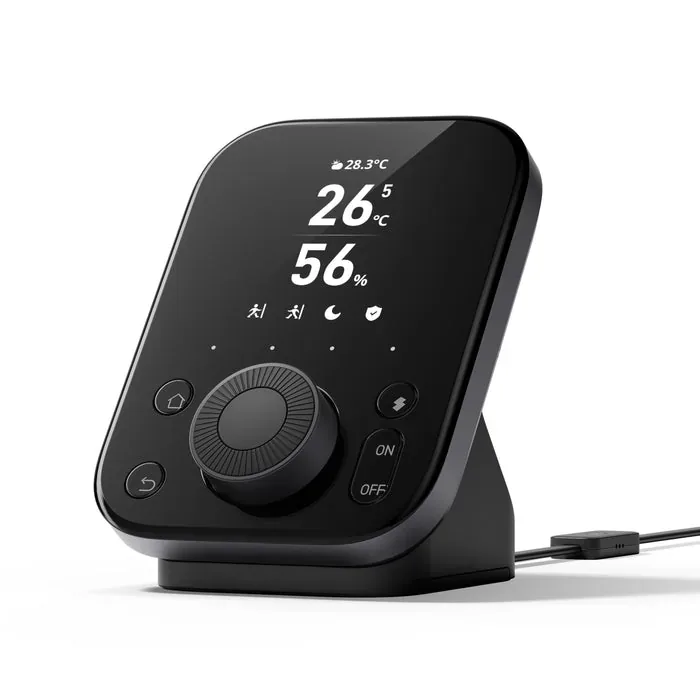
Hub 3 is appealing when smart-home control has become too dependent on finding a phone. A dial, screen and four shortcut buttons give familiar room jobs a fixed place: change an air conditioner's temperature, adjust a supported light, close the curtains or start a scene.
That makes more sense beside a sofa or on an accessible wall than hidden next to a router. The included desk stand and wall bracket suit both arrangements, and the black display looks more like a small control panel than an anonymous gateway. A household that wants physical controls can get something useful from it every day.
The important question is what those controls will actually operate. Hub 3 supports learned infrared appliances, selected SwitchBot devices and compatible Bluetooth streaming devices. It is more capable than Hub 2, but its many control routes do not all offer the same functions.
A living-room remote with some awkward gaps
Infrared control is a good way to keep an older television, fan or air conditioner in use. Hub 3 can send their remote commands, while its dial makes adjustments easier to reach than another app screen. The appliance needs a clear infrared path; walls, cabinet doors and poor placement can defeat the arrangement. Radio-frequency remotes are not supported.
Apple TV and Fire TV support sounds particularly useful for a movie-night setup. However, SwitchBot currently says those Bluetooth remote controls operate through the Hub 3 hardware and cannot be included in SwitchBot scenes or automations. Do not buy it expecting one scene to perform every streaming-box action alongside the lights and curtains.
Other-brand lighting also needs care. SwitchBot documents using Hub 3 buttons as triggers for Apple Home automations after the other products have been added there. That is a useful option for an existing Apple household. Its support article explicitly says the equivalent button route is unavailable in Google Home. Hub 3 itself does not replace the ecosystem controller needed for that arrangement.
We have not tested the dial feel, infrared reach or everyday responsiveness. The physical layout is promising, but the value depends on having several supported controls you will use from that fixed location.
The screen is handy, but the cable matters
The included power cable contains the temperature and humidity sensor. Hub 3 must stay plugged in, and swapping that cable for an ordinary USB-C lead gives up those readings. Think about the outlet, visible cable and sensor location before choosing where to mount it.
Temperature, humidity, weather and supported lock information can make the screen useful at a glance. CO2 monitoring is less complete than some product images suggest: the hub has no CO2 sensor. It needs a separate SwitchBot Meter Pro CO2 Monitor, and SwitchBot says Hub 3 displays colored concentration indicators rather than a numeric ppm reading.
That makes it a convenient secondary display for an existing monitor, not a reason to skip buying the monitor itself. If all you want is room temperature, the cheaper Hub 2 already provides that simpler job.
More capacity is a good reason to replace an older hub
Hub 3 can share up to 30 supported sub-devices over Matter. Hub 2 has eight slots, while Hub Mini Matter Enabled has four. A growing SwitchBot collection can therefore justify Hub 3 even if the dial is only occasionally useful. These are bridge slots, not a promise that every vendor-specific setting appears in every receiving app.
For a small setup, Hub 2's capacity may already be sufficient. Its temperature and humidity readings can use two of the eight slots, although those can be removed from Matter when accessory capacity is more important. There is no reason to replace a working bridge simply because Hub 3 is newer.
Offline behavior is another reason to be precise about the intended job. SwitchBot says learned IR remotes assigned to Hub 3's Devices & Scenes can be operated directly from its hardware without the internet. That does not establish that every app command or scene works offline. For supported SwitchBot automations coordinated locally across hubs, AI Hub is the more relevant upgrade, with camera recording adding another reason to pay more.
Pay for controls you will reach for
On September 10, 2026, the single Hub 3 cost $119.99 in the US, €129.99 in the EU and £129.99 in the UK before codes. Each store advertised 20% off with JZJZ20, bringing those prices to $95.99, €103.99 and £103.99 respectively.
Delivery changes the US comparison. At the advertised discount, one US hub falls below the store's $99 free-shipping threshold; the published $9.99 standard charge makes $105.98 before tax for an eligible order. The EU and UK discounted prices remain above their regional free-delivery thresholds. Confirm the final total and destination at checkout.
For a smaller US setup, Hub 2 was $69.99 before codes and advertised 20% off, while Hub Mini Matter Enabled was $59.99. Both may attract delivery charges. Their lower cost is compelling when the job is only bridging a handful of accessories. Hub 3 earns the premium through its greater capacity, accessible controls and room display.
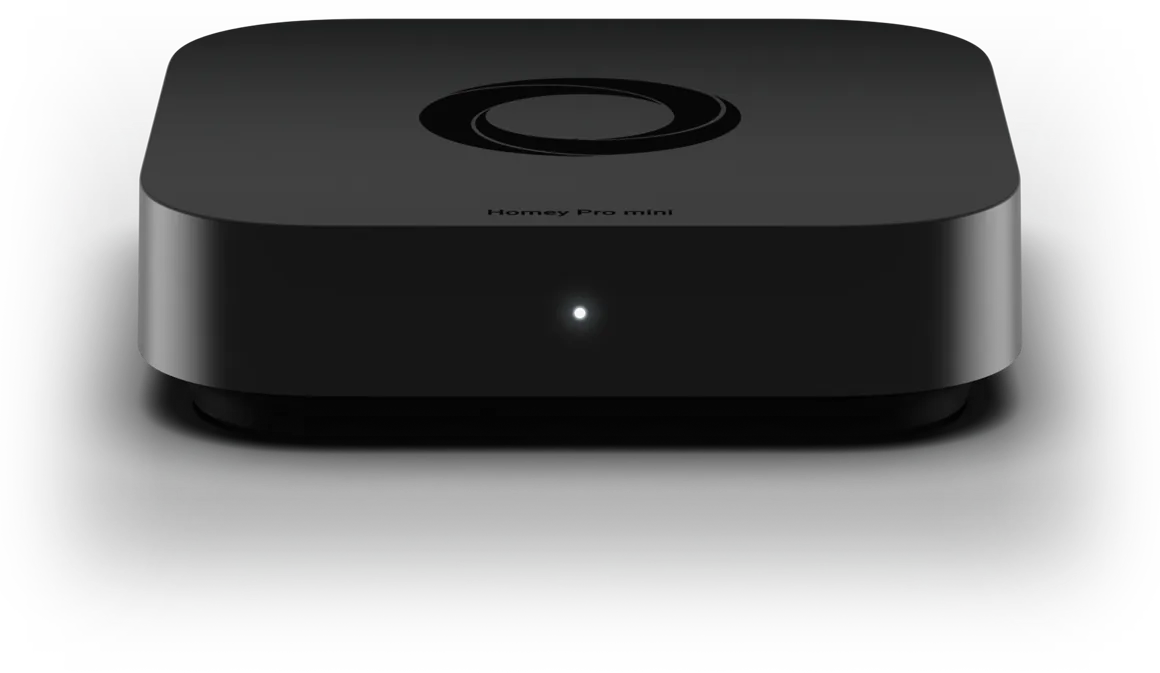
If you want to move household automation into a broader platform, Homey Pro mini is a separate option to evaluate against your devices. It does not provide Hub 3's built-in room controls. For a SwitchBot room that already works well, keeping the existing hub and remotes is a perfectly good choice.
Content feedback
Spot a mistake or missing context?
Send a quick note so it can be checked against the source material.