What we like
- Battery option avoids adding doorbell wiring
- Local face recognition without a mandatory Aqara cloud plan
- Recording card stays indoors in the included chime
- Chime also provides Aqara hub and Thread functions
What could be better
- IPX3 protection requires a sheltered mounting position
- Continuous recording and RTSP require wired power
- Doorbell is permanently paired with its supplied chime
- Adding Apple Home also reduces the maximum Aqara video resolution
The battery option is a real reason to choose G410
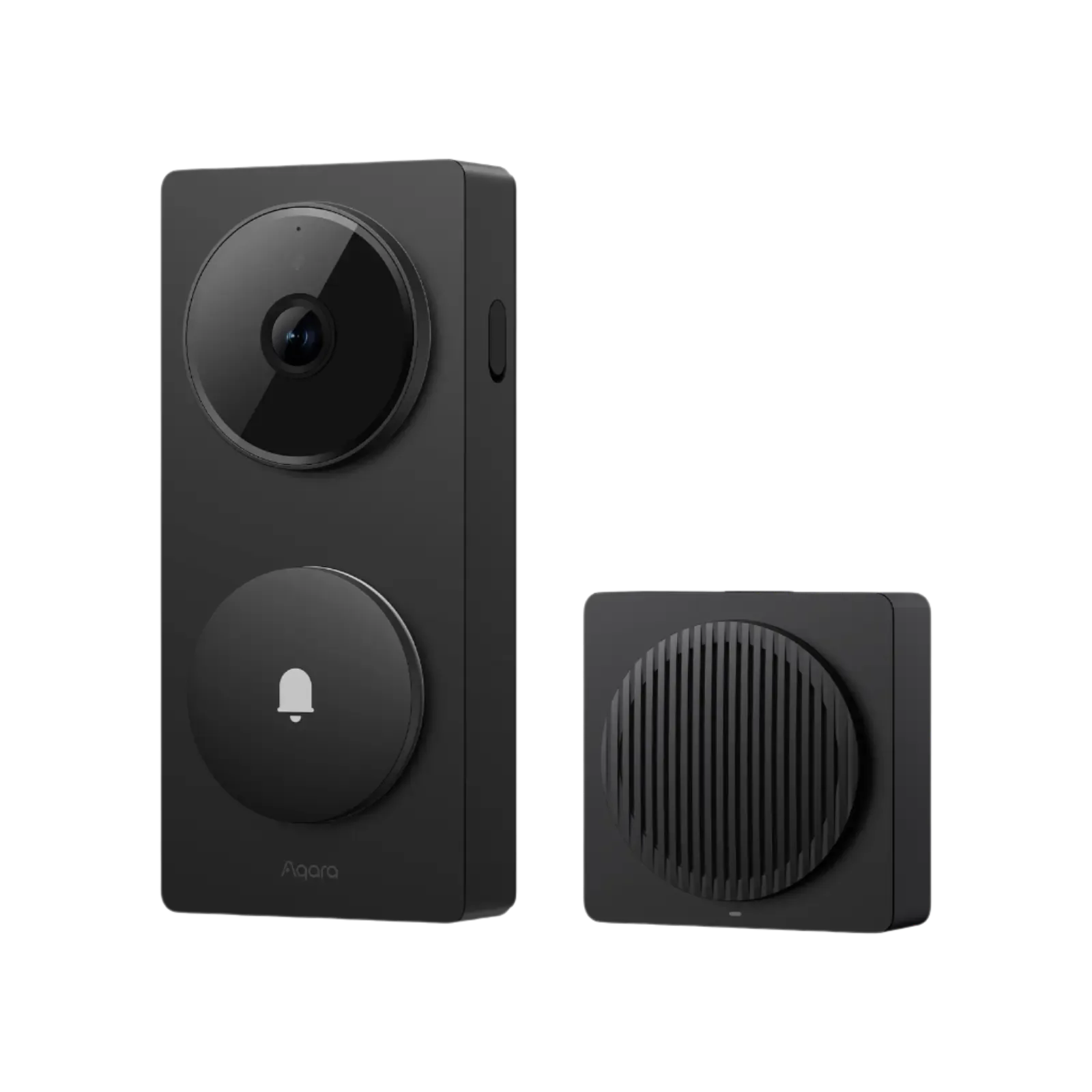
G410 is most appealing when you want video at a sheltered entrance without installing doorbell wiring. Six replaceable AA batteries power the outdoor unit, while the included indoor chime handles the household connection and can store recordings. Its local face recognition can distinguish familiar visitors without requiring Aqara's paid cloud plan.
That arrangement gives an apartment corridor or covered porch a useful upgrade. It also explains the bulk: the outdoor unit is 141.5 × 65 × 30.4 mm. A 65 mm-wide body can be awkward on narrow door trim, even with the supplied 20-degree wedge.
Aqara's US store listed the black and gray versions at $144.99 on September 10, 2026, including the six batteries and qualifying for free standard contiguous-US/DC delivery before tax. A microSD card and any necessary power adapter or transformer are extra.
The chime is part of the doorbell, not an optional extra
The outdoor unit and indoor chime leave the factory permanently paired. You cannot discard the chime, mix it with another G410 doorbell or simply connect the outdoor unit directly to the router. That limits replacement flexibility and makes the chime's location part of the purchase.
The chime needs continuous 5 V/1 A USB-C power; a cable is included, but a wall adapter is absent from the box list. Aqara recommends keeping it within ten meters of the entrance, with actual performance dependent on walls and interference. A convenient socket near the front door is more useful than an ideal hub location far into the house.
Putting the microSD card indoors is a thoughtful design choice: removing the outdoor doorbell does not also remove that card. It supports cards up to 512 GB. The chime is also an Aqara Zigbee hub, Matter controller and Thread border router, so nearby supported accessories may save you buying a separate hub.
Battery convenience gives up continuous recording
Battery operation sleeps between activity and rings. Aqara's up-to-five-month estimate depends on use and environment; a busy entrance can wake the doorbell more often. The batteries are replaceable alkaline cells, and connecting external power does not recharge them.
Continuous recording and RTSP need wired power. G410 accepts an appropriate 12–24 V AC or DC supply, so those features require a wiring plan even though the product can run on batteries. For Home Assistant recording through RTSP, budget for the powered installation from the start.
The radar detects approach and lingering, while the camera performs local face recognition. Neither guarantees that every visitor or parcel will generate the right alert. We have not tested detection, response time or battery endurance.
The view is wide, and Apple changes the resolution
G410 records 2048 × 1536 video with a 4:3 frame and a 175-degree diagonal view. That gives more vertical space than a widescreen doorbell, but the mounting position still decides whether a package immediately below the lens is visible.
Aqara's current FAQ says adding Apple Home caps video at 1600 × 1200, including the feed in Aqara Home because of the hardware's encoding limit. HomeKit Secure Video recording also needs an Apple home hub and an iCloud+ plan. The Matter bridge role should not be mistaken for equivalent video and recording in every Matter app.
Weather is the harder limit. The published IPX3 rating calls for a sheltered entrance. Aqara says its silicone cover does not make the doorbell fully waterproof. An uncovered doorway facing driving rain is a reason to choose different hardware.
Compare G400 when wiring is available
The non-hub Doorbell Camera G400 (Wired) was $99.99 US on the same date. It offers IP65 protection, a taller 3:4 view, PoE or suitable doorbell wiring, and an optional rather than mandatory chime. It gives up G410's battery option and hub functions.
That makes G400 the stronger starting point for an already wired doorway. Choose G410 when batteries, local face recognition and the indoor chime hub are worth the extra $45. Keep a working doorbell if its view and visitor alerts are already sufficient; adding Thread hardware alone is a thin reason to replace it.
Content feedback
Spot a mistake or missing context?
Send a quick note so it can be checked against the source material.