What we like
- Dedicated SmartThings hardware can be placed independently of the television
- Ethernet and Wi-Fi give useful placement choices
- Wall-mount kit included
- Supports local device drivers and eligible SmartThings automations
What could be better
- Drops the Z-Wave radio that many older SmartThings homes still need
- USB-A expansion socket currently has no function
- Samsung account and SmartThings app remain part of ownership
- An existing suitable hub may already cover these devices
A useful home for SmartThings, if you need another box
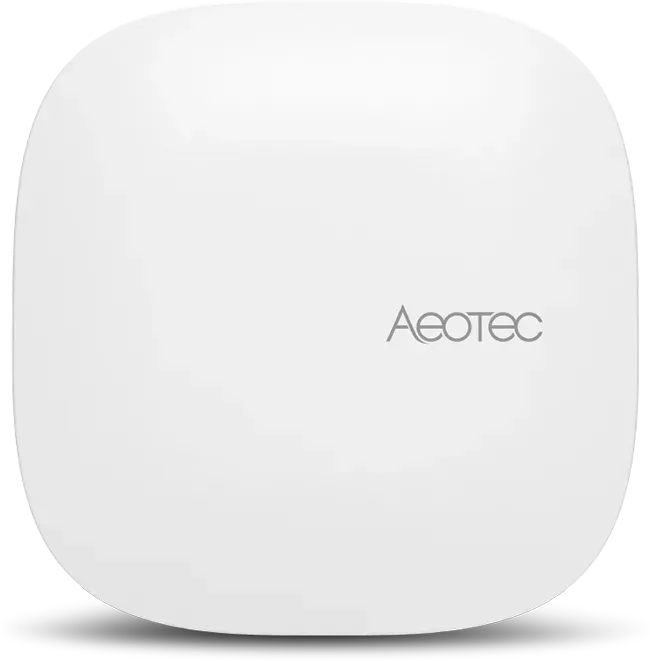
Aeotec Smart Home Hub 2 is an uncomplicated hardware choice for a household that has already chosen SmartThings. It combines Matter, Thread and Zigbee in a small dedicated hub, with Ethernet or Wi-Fi for the connection back to your network. You can put it where the devices need it, independently of where the television happens to sit.
The official Aeotec Americas store listed it at $119.99 on September 10, 2026, before tax and delivery. That is reasonable for a new installation with several sensors, lights and routines. It is harder to justify when an existing SmartThings hub or suitable Samsung product already handles those jobs.
The useful purchase question is whether this box adds a missing radio, a better location or capacity you actually need. A newer hub number alone is a weak reason to disturb a working home.
The missing Z-Wave radio can decide the purchase
Hub 2 has no Z-Wave. This matters more than its faster processor if your home contains Z-Wave locks, switches or sensors. Those devices cannot simply move across to its Zigbee or Thread radio.
Aeotec explicitly points Z-Wave buyers toward the older Smart Home Hub V3. For an existing owner, keeping that functioning hub is often the cheapest answer. For a new buyer, confirm the exact radio mix before choosing between models; the newer Hub 2 is not a superset of everything the older one does.
The USB-A socket does not currently solve missing-radio needs. Aeotec lists it as having no function yet. We would assign it no value in a purchase decision until a useful, supported expansion actually ships.
Placement is its most practical advantage
The included wall-mount kit gives the hub a home away from a crowded equipment shelf. Wi-Fi lets you choose a central powered location; Ethernet is convenient when a cable already reaches a good spot. Power comes through USB-C.
A neat installation still needs a power route. A separate PoE splitter is an additional purchase, not a built-in feature of the Ethernet socket. For most households, the included mount and an ordinary outlet will be the simpler arrangement.
This flexibility is a good reason to buy dedicated hardware when the current hub is poorly located. It is not evidence that Hub 2 will improve every device's response time. Radio placement, the devices themselves and how their routines execute still matter.
Local routines are useful, but SmartThings remains the platform
The hub supports local device drivers and eligible local automations, reducing dependence on an internet connection for those jobs. Cloud-connected devices, services and remote access still have their own requirements. A Samsung account and the SmartThings app remain part of owning it.
Alexa and Google voice connections can provide another way to issue commands. They do not turn Hub 2 into a native hub for those platforms or automatically expose every SmartThings function elsewhere.
Buy it when you want SmartThings, need this particular set of radios and have a useful place for the box. Keep a suitable existing hub when the proposed upgrade would mostly recreate the same routines. In a Z-Wave-heavy home, preserving the working radio is more valuable than buying the newest model.
Content feedback
Spot a mistake or missing context?
Send a quick note so it can be checked against the source material.